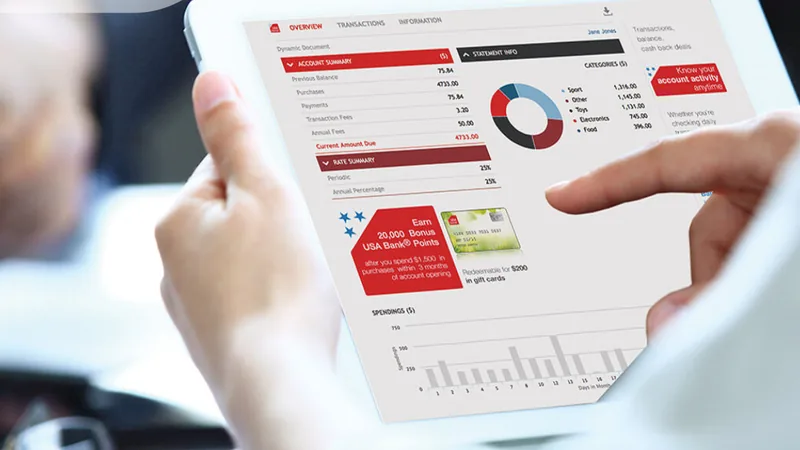

Paperless food safety means the temperature logs, receival checks, cleaning sign-offs and corrective actions your kitchen already keeps are captured in software instead of on clipboards. For aged care kitchens the reasons are practical: records are complete and readable, every entry shows who did what and when, problems raise an alert while there is still time to act, and audit preparation no longer means gathering folders from every site.
Why paper records fall short in an aged care kitchen
Businesses serving food to aged care residents must have a food safety program under Standard 3.3.1. Under Standard 3.2.1, that program must provide for appropriate records of the action taken, and those records must be available to your food safety auditor. The records are the evidence that the program is being followed.
Paper copes on a quiet day. It struggles on a short-staffed breakfast service, with an agency cook who has never seen your forms, or when a fridge check is written up at the end of a shift from memory. Gaps and back-filled entries are hard to spot on a clipboard, and with older people at higher risk of foodborne illness, they carry more weight in aged care than in most kitchens.
Six reasons kitchens are choosing paperless food safety
1. Complete, legible records
A digital form can require each field before it is saved, so a check cannot be half-finished and filed. Nobody has to guess whether a smudged figure reads 3°C or 8°C, and a missed check shows as missing on the day, while someone can still do it.
2. Time-stamped, signed entries
Each entry records when it was made and whose login made it. Back-filling becomes obvious, and the food safety supervisor’s end-of-day sign-off sits in the same record.
3. Alerts instead of discovering problems later
A paper fridge log only reveals a fault at the next check, which may be the following morning. Sensors that log continuously can alert staff when a reading stays out of range, so stock can be moved while it is still safe to use. Our article on continuous fridge temperature monitoring covers this in more detail.
4. Corrective actions that get closed
Standard 3.2.1 expects a program to provide for corrective action when a hazard is not under control. On paper that is often a margin note (“called maintenance”) with no record of what happened next. In software, a corrective action can carry a follow-up date and a reminder, and it stays open until someone closes it.
5. Visibility across every site
With paper, each kitchen’s records live in that kitchen. A hotel services or quality manager working from digital records can check every site from one screen and notice patterns, such as a freezer that drifts every afternoon, without waiting for scanned sheets.
6. Faster audit preparation
When records are stored by date, site and form, pulling together a month of temperature logs is a search, not an afternoon in the storeroom. Our guide to preparing for a food safety audit explains what auditors typically look at.
What to keep in mind before you retire paper
Check what your auditor and council accept
FSANZ guidance on the food safety management tools standard defines a record as a document or object in any form, including electronic. Audit arrangements are still set by each state and territory, so ask your food safety auditor or local council how they want to view digital records (a login, PDF exports or both) and how long records must be kept.
Plan device access
Staff need a device where the work happens: at the receiving dock, beside the cool room, at the pass. Decide how many tablets each kitchen needs and who keeps them charged. Every staff member, including agency staff, needs their own login, or the signature on each record means little.
Set backup procedures
Ask your provider where the data is stored, how it is backed up and how you can export it. Keep a fallback too: a few paper forms in a known place for a power or network outage, entered into the system afterwards with a note explaining why.
How to make the transition
- Start with your existing forms. Digitise the forms your food safety program already uses, so staff recognise the checks and your auditor sees the same controls.
- Begin with temperatures and corrective actions. They are checked most often and show results quickly. Receival, cleaning and internal audit forms can follow.
- Run paper and digital in parallel, briefly. A short overlap lets supervisors confirm nothing is being missed. Agree an end date, with your auditor where needed, so paper does not linger.
- Train every shift. Weekend and night staff are easy to miss in a rollout, and they are the most likely to drift back to paper.
Food safety records are one part of the picture. Our article on paperless aged care looks at going digital across the whole home.
How iMonitor Australia supports paperless food safety
iMonitor Australia is HDS’s food safety software for aged care kitchens, part of the HDS One Stop Shop alongside dietary management and cleaning. It is set up from your existing food safety forms, so it supports the program you already run.
- WiFi sensors log fridge and freezer temperatures around the clock and alert staff when readings are out of range, missing or incorrect.
- Missing or incorrect records prompt a corrective action, with a follow-up date and reminder.
- Each staff member signs records under their own login, records are stored on Australian servers and data centres, and auditors can log in to view reports.
This article is general information for aged care providers and is not a substitute for advice from your food safety auditor, local council or state food authority.
See paperless food safety in your kitchen
If your team is ready to move food safety records off paper, we can walk you through iMonitor Australia using your own forms and sites. Book a personalised demo to see how it would work in your kitchens.