
Choosing aged care software for the hotel services side of a home comes down to fit. The right system matches how your kitchens, cleaning teams and care staff already work, protects resident information, connects with your clinical system, and comes from a provider who is still there for your team long after go-live.
The process is straightforward: audit what you have, involve the people who will use it, agree your goals, write a requirements checklist, then test several providers against it in a demo. This guide is written for hotel services and catering managers, operations leads and multi-site groups.
Why the choice carries more weight now
The strengthened Aged Care Quality Standards applied from 1 November 2025, as part of the new Aged Care Act 2024. They include a dedicated food and nutrition standard, Standard 6, which residential care providers must meet from that date. Outcome 3.3 also asks providers to have a system that gets critical information about each person to the workers delivering their care in a timely way.
Food service has its own rules as well. Standard 3.3.1 of the Food Standards Code requires a documented and audited food safety program where food is served to vulnerable persons, and nursing homes for the aged are among the facilities it lists.
Software will not make a home compliant by itself, but it can make the evidence easier to produce and a missed diet change or temperature check harder to overlook.
Step 1: audit what you use today
List every system, spreadsheet and paper form your hotel services teams rely on, from diet lists and menu cycles to fridge logs and cleaning sign-off sheets. For each one, note who uses it, what it does well and where it lets people down.
Rate each one keep, improve, replace or missing, and you will soon see which gaps are causing real problems.
Look hardest at the hand-offs, where information passes between people: a texture change on a whiteboard, a freezer reading that never reached the log, a cleaning sheet nobody reviews.
Step 2: bring your team into the decision
Cooks, catering assistants, care staff, cleaners and supervisors will use the system every shift, so ask them early. Find out what slows them down, where errors creep in and what they would change first.
Include quality and compliance, IT, privacy and finance as well. Bringing IT and privacy in early avoids a late surprise at the vendor security assessment.
Step 3: agree what success looks like
Turn the audit and the staff feedback into a short list of goals you can check against later. For example:
- every diet change reaches the kitchen before the next meal service
- food safety records are complete and ready for an auditor without a search through folders
- supervisors can see which cleaning tasks are still outstanding during the shift
- menus and reporting can be viewed across every home in the group
Rank them, so that when two providers look similar on paper, the ranking settles it.
Step 4: build your aged care software requirements checklist
Functional requirements are what a system must do for your homes. Write them down by area, mark each essential or desirable, and use the same list for every provider. If dietary software is the main purchase, our guide to choosing dietary management software goes into more depth.
Dietary and menu management
- a live profile for each resident covering diet type, allergens, IDDSI texture and fluid levels, preferences and dislikes
- alerts when a resident’s diet changes, and allergen warnings that follow the resident through ordering and service
- menu planning across cycles, with each resident’s meal choices captured
- production numbers and kitchen reports drawn from current profiles
- control over who is allowed to change a diet profile
Our overview of dietary and menu management software shows how these features look in practice.
Food safety
- automated temperature monitoring for fridges and freezers, with alerts when readings move out of range
- probe readings for cooking, cooling and serving
- digital versions of your own food safety forms, signed by the staff member who completes them
- corrective actions recorded against each problem, with reminders until they are closed
- read access for auditors to records and reports
You can compare these with our food safety software for aged care kitchens.
Cleaning and housekeeping
- cleaning schedules allocated by shift, area and staff member
- digital sign-off as each task is completed
- a live view for supervisors, with alerts for incomplete work
- maintenance requests raised by staff on the floor
- cleaning audits and the corrective actions that follow them
Our cleaning and housekeeping software page covers each in more detail.
Across every system
- works on the devices your staff actually use, including tablets in the kitchen
- simple enough for casual and agency staff to pick up quickly
- configurable to your existing forms, workflows and approval steps
- reporting by home and across the group, if you run more than one site
- individual logins, so every action is tied to a named person
Integration with your clinical system
In most homes, nurses and carers record a resident’s diet in the clinical or care management system. If catering software sits apart from it, someone copies every change across by hand, and each copy is a chance for an error to reach a plate.
Ask each provider:
- which clinical systems they integrate with today, and whether yours is one of them
- which details transfer (diet type, texture and fluid levels, allergies) and in which direction
- how quickly a change arrives, and whether anyone is notified when it does
- who sets the integration up, and who supports it if it stops working
If a provider says they integrate with your system, ask to see it working. Our clinical integrations page explains how a dietary change recorded by care staff can flow through to the kitchen.
Data security and where resident data is held
Diet profiles, allergies and care details are personal information, and often health information. Under the Privacy Act 1988, Australian Privacy Principle 11 requires an organisation to take reasonable steps to protect personal information it holds from misuse, interference and loss, and from unauthorised access, modification or disclosure. That obligation stays with you when a supplier stores the data.
Questions worth asking in writing:
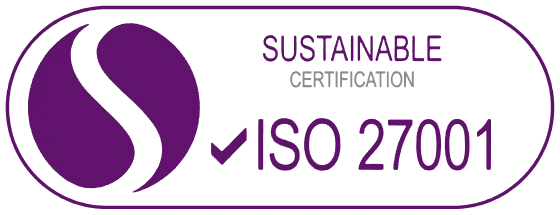
- Certification. Is the provider’s information security management system certified to ISO/IEC 27001? Who issued the certificate, and which products and locations does it cover?
- Hosting. Where is the data stored, and is any of it held or accessed overseas? APP 8 sets out steps to take before personal information is disclosed overseas, so you need a clear answer.
- Encryption. Is data encrypted when stored and when it moves between systems, and to what standard?
- Access. Does every staff member have their own login? How are permissions set, and when can the provider’s own staff see your data?
- Records. Can you see who changed a record, and when?
- Backups, incidents and exit. How often is data backed up, how would you be told about a breach, and how do you get your data back if you leave?
ISO/IEC 27001 certification means an independent body has audited that system, so ask for the certificate and its scope. Our data security and ISO 27001 page shows how we approach these questions.
Implementation, training and support
A well-chosen system can still stumble at rollout. Before you commit, find out:
- who handles setup and data entry (resident profiles, menus, forms and schedules), and what your team needs to supply
- how staff are trained, on site or online, and how new starters will learn the system after go-live
- what support looks like during go-live and in the months after it
- the support hours, the ways to reach the team, and whether the people answering understand aged care
- what a realistic timeline looks like for your number of homes, set out as a written plan
- the full cost over several years, including licences, setup, training, integration, any hardware such as temperature sensors, and ongoing support
Questions to ask in a demo
A demo is where the checklist earns its keep. Send your requirements ahead and ask each provider to work through scenarios from your own home.
- A care staff member changes a resident’s texture level mid-afternoon. When, and where, does the kitchen see it?
- How is an allergen flagged on the menu, on the production sheet and at the point of service?
- A freezer goes out of range overnight. Who is alerted, how, and where is the corrective action recorded?
- Can you show one of our existing food safety forms set up as a digital form?
- How does a supervisor see which cleaning tasks are outstanding during a shift?
- What would an auditor see if they logged in today?
- What does reporting across all of our homes look like?
- Can we speak with a provider of a similar size that uses the system?
Keep the same people at every demo, and score each provider straight afterwards.
Compare providers on one scorecard
A shared scorecard keeps the decision on your goals rather than the most polished presentation. Weight each area by the goals you ranked in step 3.
| Area | Evidence to ask for |
|---|---|
| Dietary and menu management | A demo using your own diets, textures and menu cycle |
| Food safety | Sample records, the out-of-range alert flow and the auditor view |
| Cleaning and housekeeping | A schedule built by shift and the supervisor’s live view |
| Clinical integration | A working integration with your clinical system |
| Data security | The ISO/IEC 27001 certificate and its scope, and hosting details in writing |
| Implementation and training | A written plan showing who does what |
| Support | Hours, contact channels and a reference from a current customer |
| Cost | The total over several years, not only the first year |
Where HDS fits
HDS supplies a dedicated system for each part of aged care hotel services, offered together as a One Stop Shop: HDS for dietary and menu management, iMonitor Australia for food safety and HCSPRO for cleaning and housekeeping. HDS integrates with most major clinical care platforms, and our information security management system is certified to ISO/IEC 27001.
Each implementation is configured around your organisation’s approved workflows. Our team manages setup and data entry, trains staff on site or online, and supports them through go-live, with Australian support 365 days a year. You can explore all of our solutions to see how they work together.
If you are working through your own checklist, book a personalised demo and we will take you through HDS with your sites, menus and workflows in mind.