
User friendly aged care software is software your staff can use correctly on a busy shift, without help and without a workaround. That matters more than any feature list, because a system only protects residents when the people on the floor actually use it, every meal and every shift.
Most software looks easy in a sales demo, driven by someone who uses it every day. The real test is a casual cook on her second shift, an agency carer who has never seen the system, or a kitchenhand with wet hands and five minutes before service. This article looks at who really uses aged care software, what good usability looks like in practice, what poor usability costs, and how to test it before you sign.
Who actually uses aged care software
The people who choose software are rarely the people who use it most. In hotel services, the daily users are cooks, chefs, kitchenhands, dining room staff, care workers taking meal orders, cleaners and maintenance staff. Their working day looks very different from a manager’s.
A mixed and changing workforce
Many homes rely on casual, part-time and agency staff to fill rosters. Someone covering a single shift needs to find the right resident, see the right diet and record the right thing without a training session first. A system that only works for people who use it every day will fail on exactly the shifts where cover is thinnest.
Varied digital confidence
The Australian Institute for Innovative Ageing and Aged Care (ARIIA) notes that aged care staff are likely to have differing levels of digital literacy, and that the Certificate III training most of the workforce holds does not include digital literacy training. The same review says staff who are older, speak English as a second language or have little experience with technology tend to be more hesitant about it. A 2025 Flinders University scoping review of 48 Australian studies also listed limited digital literacy and confidence among aged care staff as a common barrier.
For hotel services, that is a description of a normal kitchen or housekeeping team. Software has to work for all of them, including staff for whom English is a second language.
Time pressure and kitchen conditions
Meal services run to the clock. Staff record temperatures between tasks, take orders while residents wait and check diets as trays go out. Kitchens add their own problems: gloved or wet hands, steam, noise and screens mounted on a bench or trolley. If a task needs a keyboard, a long form or several menus, it gets left until later, and later often means never.
What user friendly aged care software looks like
Ease of use is easy to claim and harder to pin down. ARIIA’s evidence review on technology acceptance in aged care links acceptance to how useful and easy to use people find a technology, and lists difficulty fitting technology into daily tasks as a usability problem. In a care home, these are the signs worth looking for.
- Few taps for common tasks. Logging a fridge reading, completing a cleaning job or recording a meal choice should take one or two actions, not a form.
- Alerts that are clear and hard to miss. An allergen or a texture change should stand out on the screen where staff are working, with plain wording about what changed.
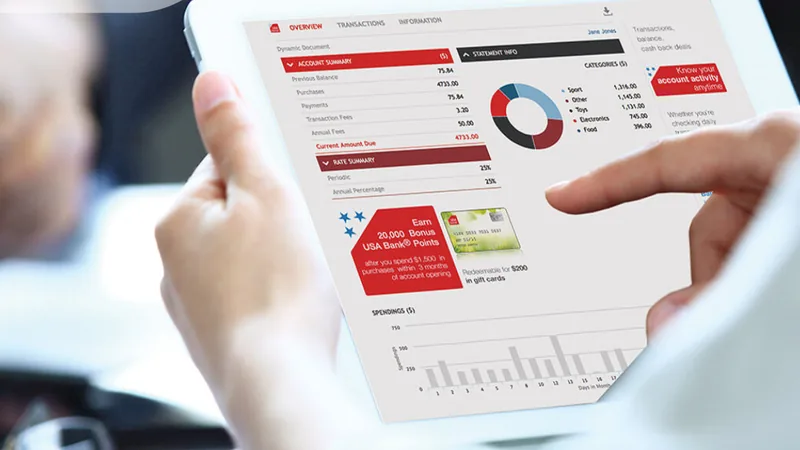
- Built for tablets. Staff move around the home. Large touch targets and a layout that works on an iPad or tablet at the bedside, in the dining room or in the cool room make records happen where the work is done.
- Role-based screens. A cleaner should see their rooms for the day. A cook should see production numbers. Showing everyone everything slows people down and invites mistakes.
- Plain language. Labels like “Soft and bite sized” or “Fridge 2 is too warm” are understood faster than codes and abbreviations, particularly by staff reading in a second language.
- Familiar layouts. When a digital form mirrors the paper form staff already know, there is less to learn.
- Individual logins. Each person signing in as themselves keeps records accountable without extra steps.
What poor usability costs
When software is hard to use, staff rarely complain about the interface. They find another way to get the job done, and the problems show up somewhere else.
Workarounds. Paper lists reappear beside the tablet, whiteboards hold the “real” diet changes, and one person’s login gets shared around the kitchen. The organisation pays for software while still running on paper.
Incomplete records. Readings are entered in a batch at the end of a shift, or skipped when service is busy. Records that look complete may not reflect what actually happened, which weakens them as evidence at audit.
Safety risk. In dietary management, the gap between a diet change and the kitchen acting on it is where errors happen. If an alert is buried, or a casual cook cannot find the resident’s profile quickly, the wrong texture or an allergen can reach a tray. Usability is part of how a system keeps residents safe.
Training load and turnover. A complex system needs long training, and every new starter needs it again. ARIIA notes that staff who are trained in digital technology are more likely to accept it, which makes a system that is quick to learn far easier to sustain.
How to test usability before you buy
A vendor’s walkthrough shows you what the software can do. It does not show you what your staff will do with it. Our buyer’s guide to choosing aged care software covers requirements, integration and security; for usability specifically, these steps help.
Put real staff in front of it
Ask for a hands-on session or trial and invite the people who will use the system daily: a cook, a casual or agency staff member if you can, a care worker, a cleaner. Include someone who is not confident with technology and someone who speaks English as a second language. Those two people will show you most quickly where the system is hard to follow.
Give them real tasks, not a tour
Write five or six tasks from your own home and ask staff to complete them without coaching. For example:
- Find a resident and check their texture level and allergies.
- Record a meal choice for a resident with a modified diet.
- Log a fridge temperature and respond to an out-of-range reading.
- Mark a cleaning task complete and raise a maintenance request.
- Find out what changed in a resident’s diet since yesterday.
Watch, time and listen
Note where people hesitate, tap the wrong thing or ask for help. Time the common tasks. Afterwards, ask what they would do if they were busy. Their answers will tell you where workarounds would start.
Test in the real environment
If you can, try the software on the tablets you will actually use, in the kitchen, with gloves on. Check how alerts appear, how readable the screen is under kitchen lighting and how the system behaves on your Wi-Fi in the far corners of the building.
Ask about the people side
Usability includes the support around the software. Ask how staff are trained, how new starters will learn, and who answers the phone when someone is stuck on a weekend shift.
How HDS approaches usability
HDS brings aged care kitchen experience to its software, which is laid out for busy cooks, chefs, care staff and housekeepers. In dietary and menu management, staff take meal orders on an iPad at the resident’s side, HDS sends a notification as soon as a diet changes, and editing rights are set by authority level for each role. In iMonitor Australia, staff log meal temperatures with a single probe reading, existing paper forms can be digitised so the format stays familiar, and every record is signed under the staff member’s own login. In HCSPRO, each staff member sees their own task list when they log in and completes most jobs with a single click.
Our team trains staff on site or online before go-live, and our Australian support team is available 7am to 7pm AEST, 365 days a year. If you are moving away from paper, our article on why aged care homes go paperless covers the wider case.
See how it feels for your staff
The best way to judge usability is to put the software in your team’s hands. Book a personalised demo and bring a cook, a carer or a housekeeper along, so they can try HDS on the tasks they do every day.